
Recurring requests
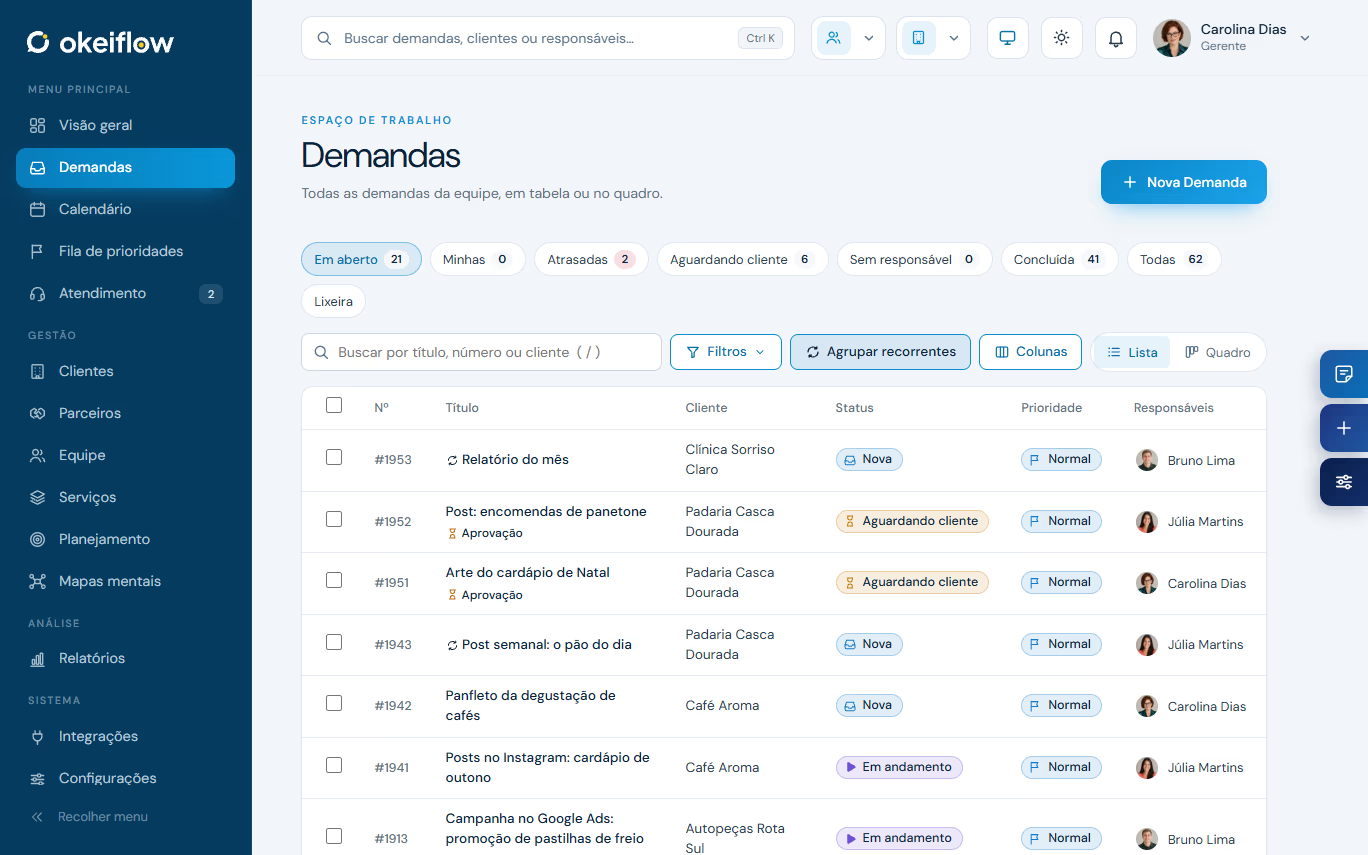
Weekly posts, monthly report: create once and change just this one, the next ones or all.
 Request management system
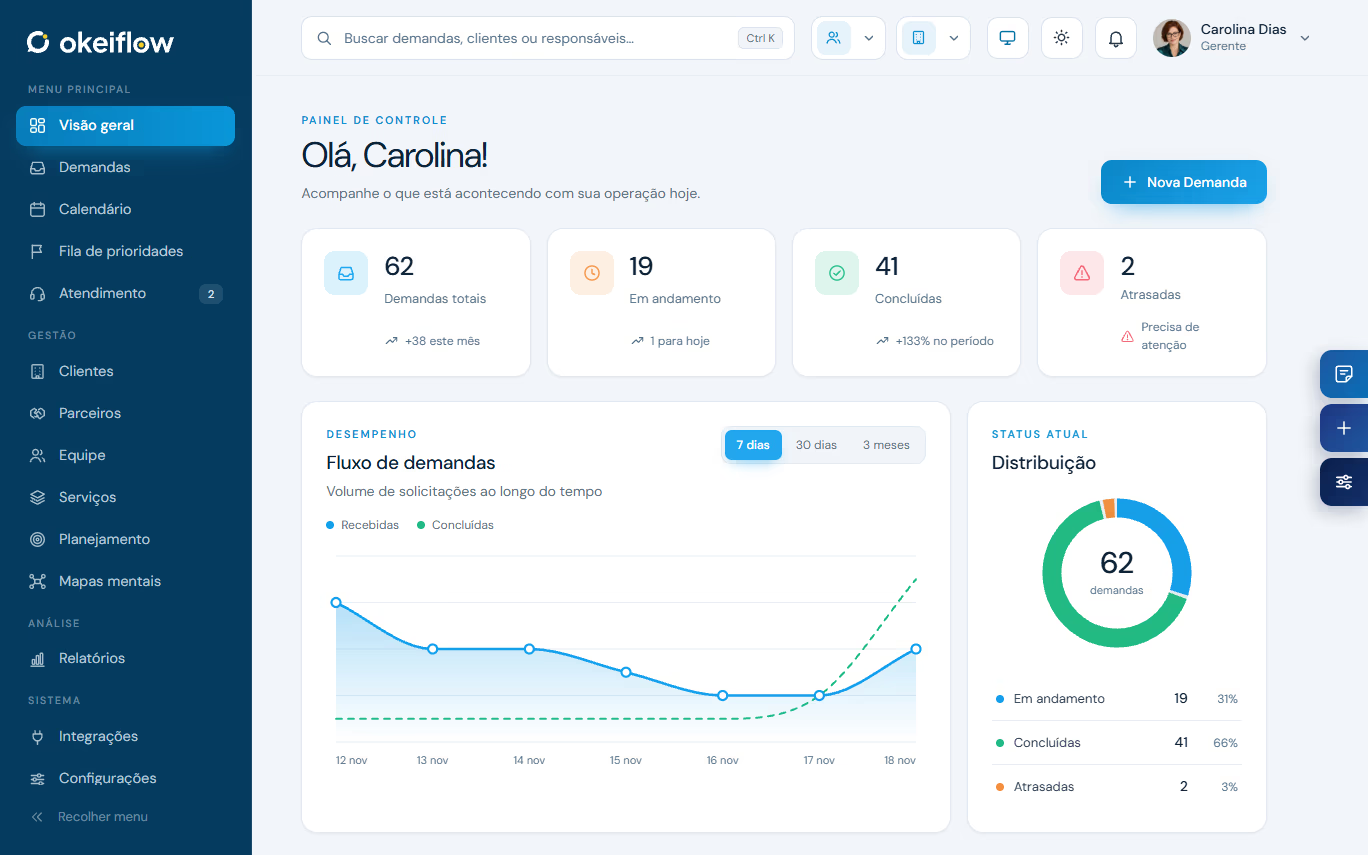
OkeiFlow organizes teams that serve clients: requests through the portal, deadlines in business hours, recurring requests, client approval and the monthly report ready to go.
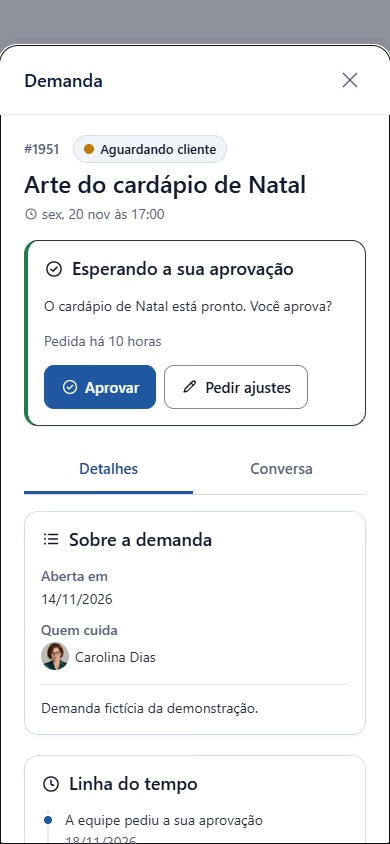
Delivery approved by the client
Deadlines in business hours
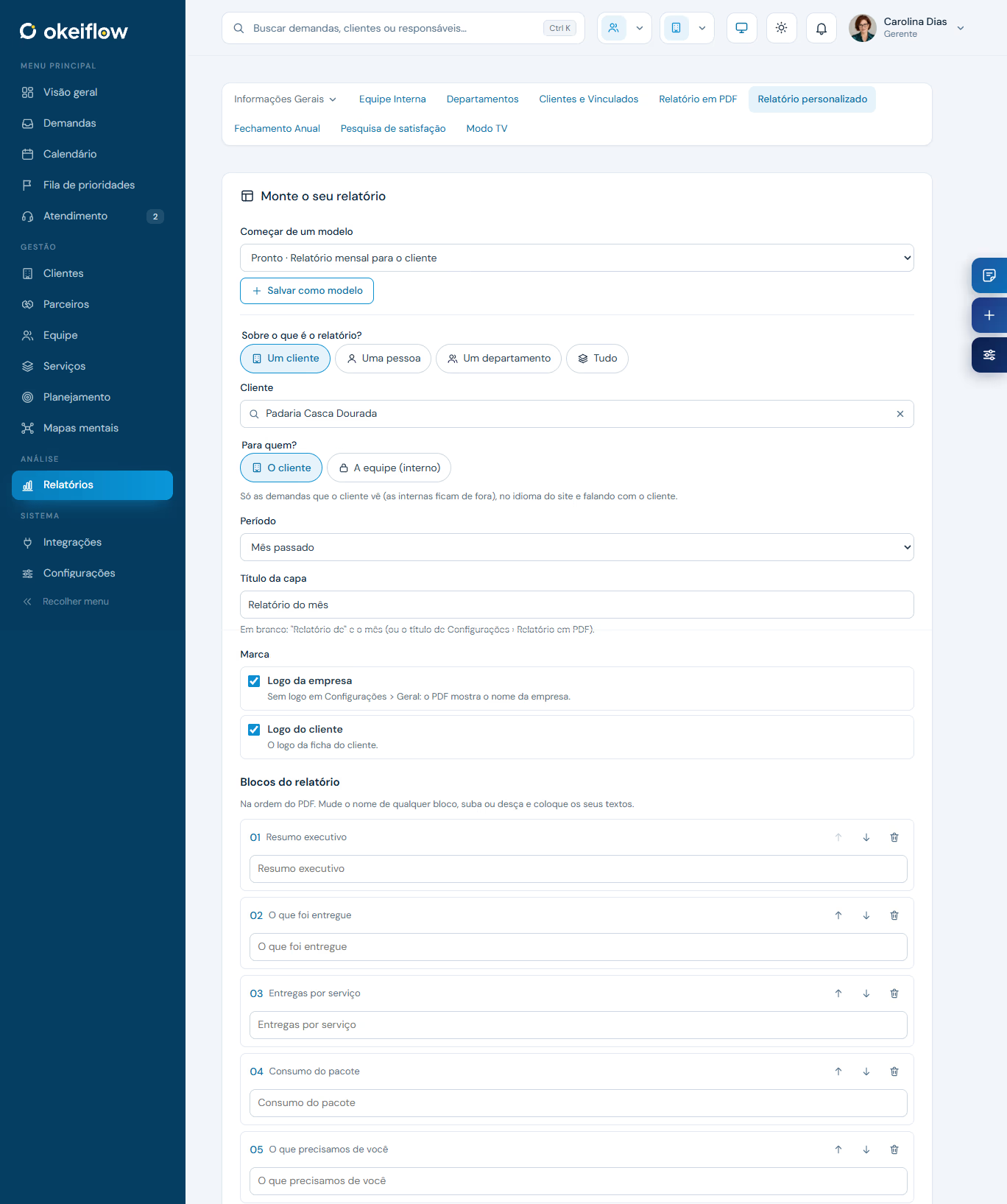
Monthly report, every month
Choose how to use it
Reports
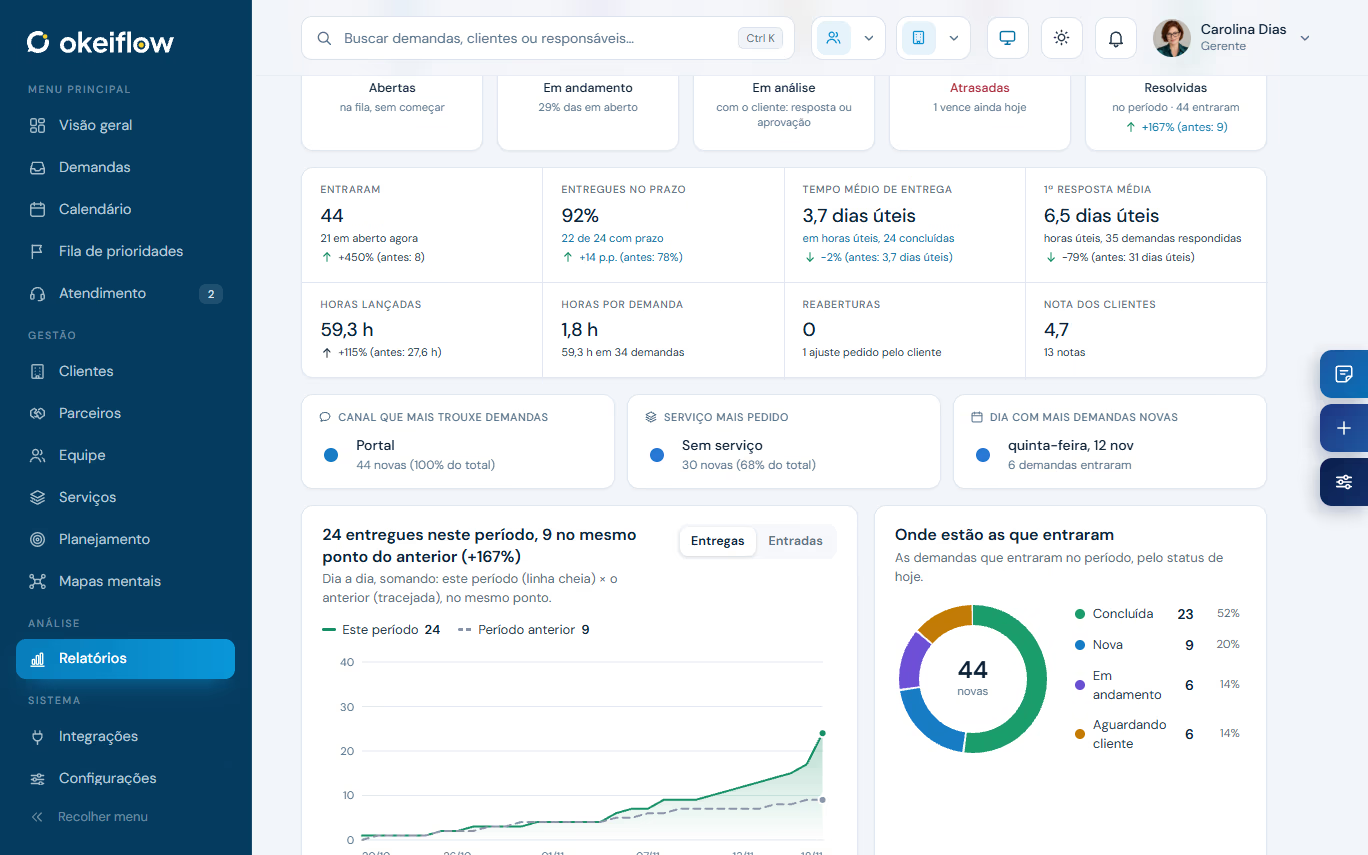
Scroll down to see OkeiFlow’s reports, one after another: from the day’s operation to your clients’ ratings.
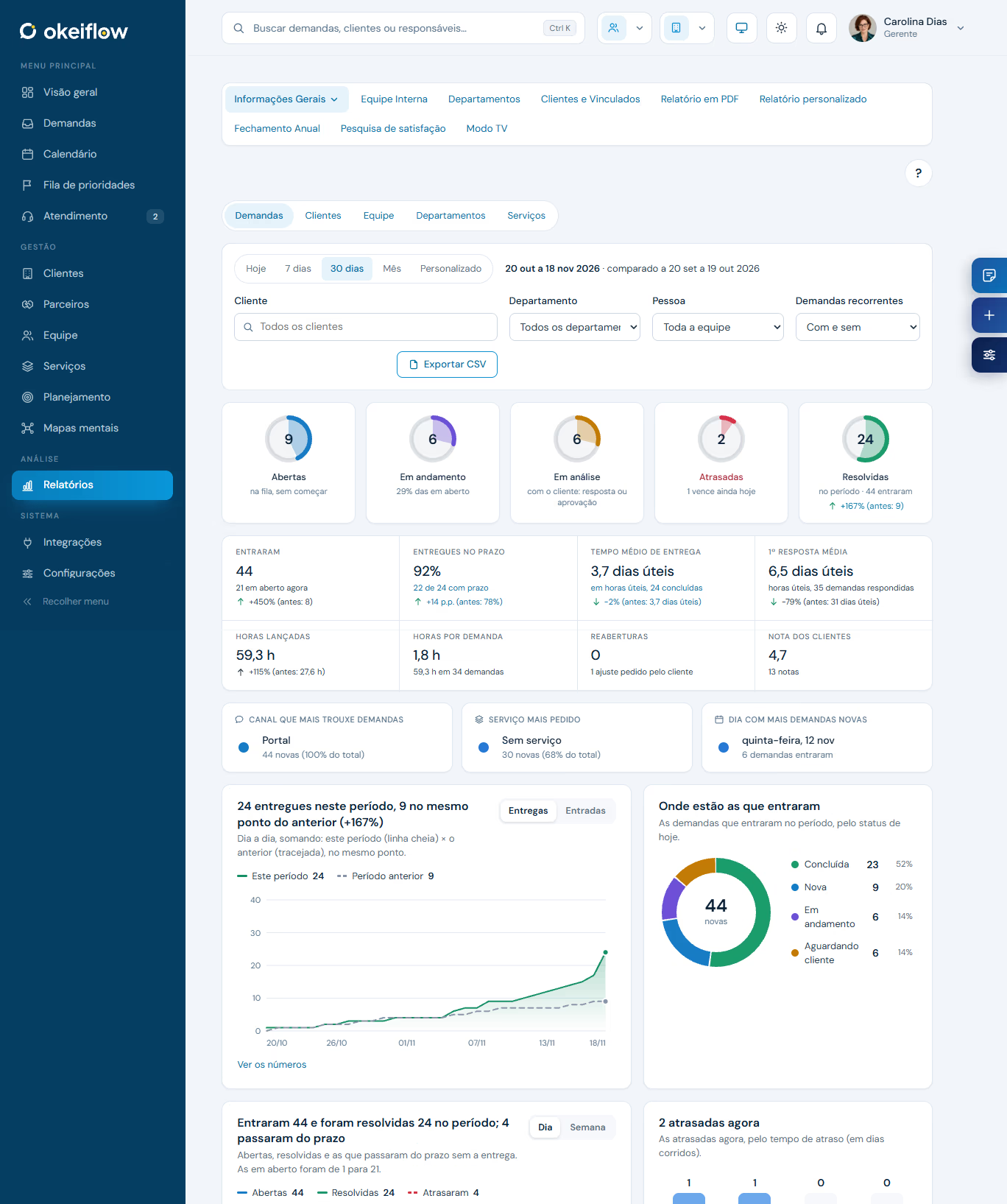
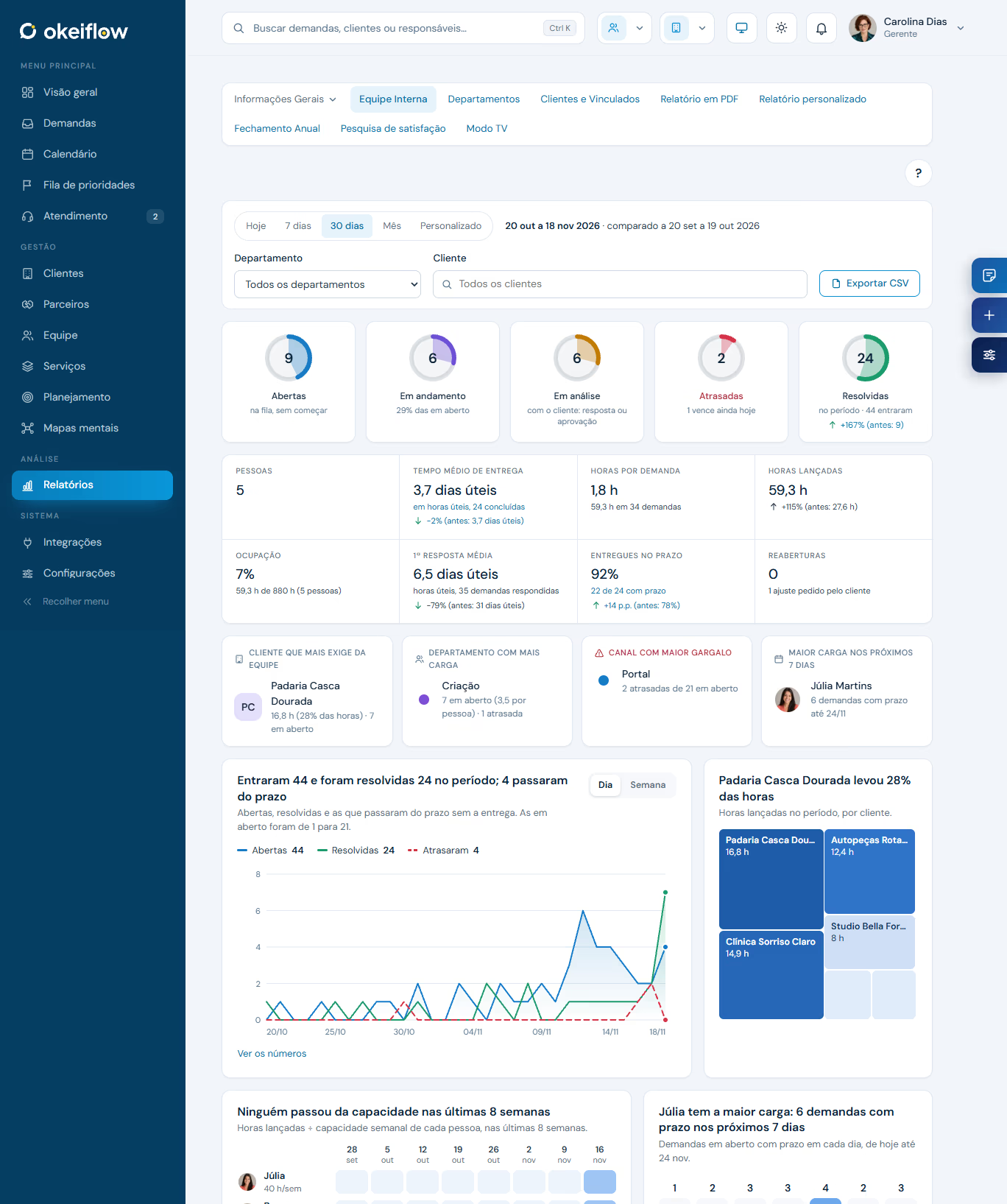
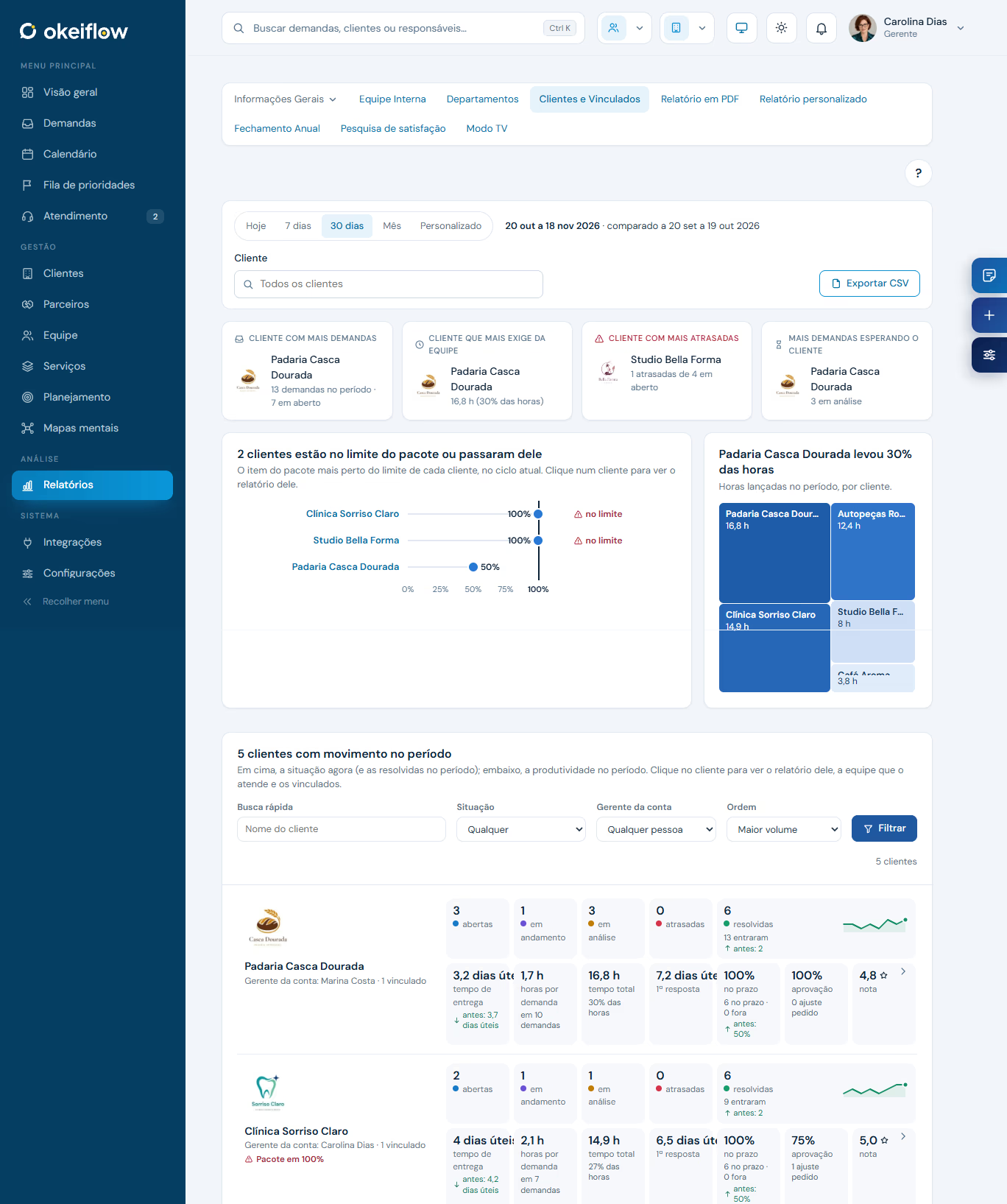
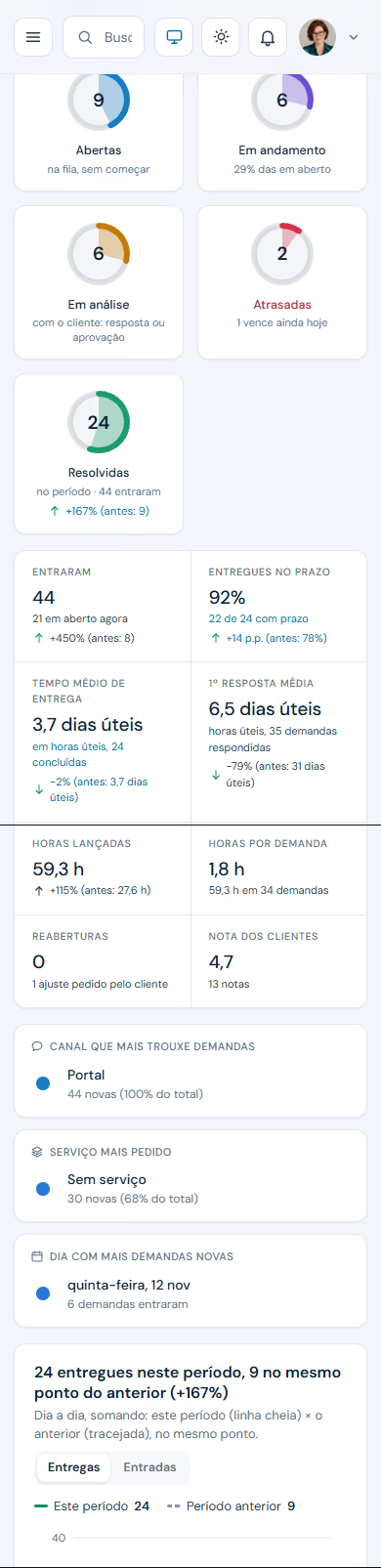
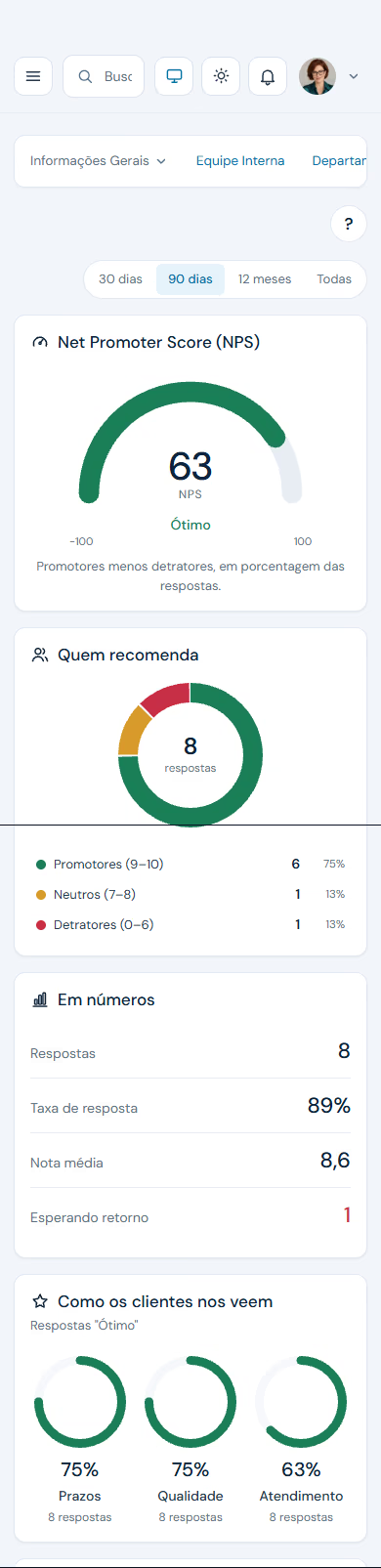
Open, in progress, overdue and resolved, with on-time deliveries, average time and hours logged, compared with the previous period.
The OkeiFlow way
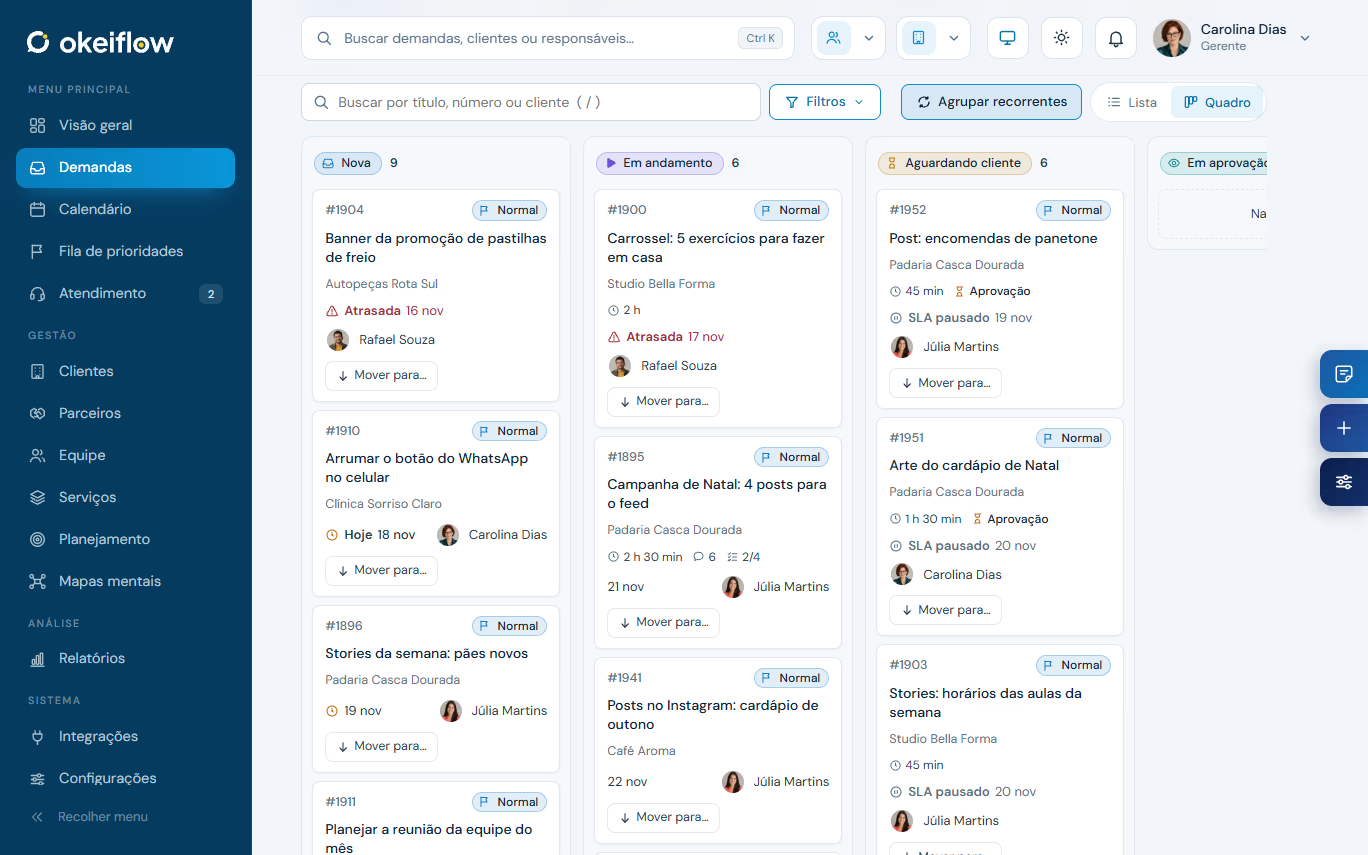
The same requests, the way that works best for you: as a list, on a board or in the month, week and agenda calendar. Switch with one click.
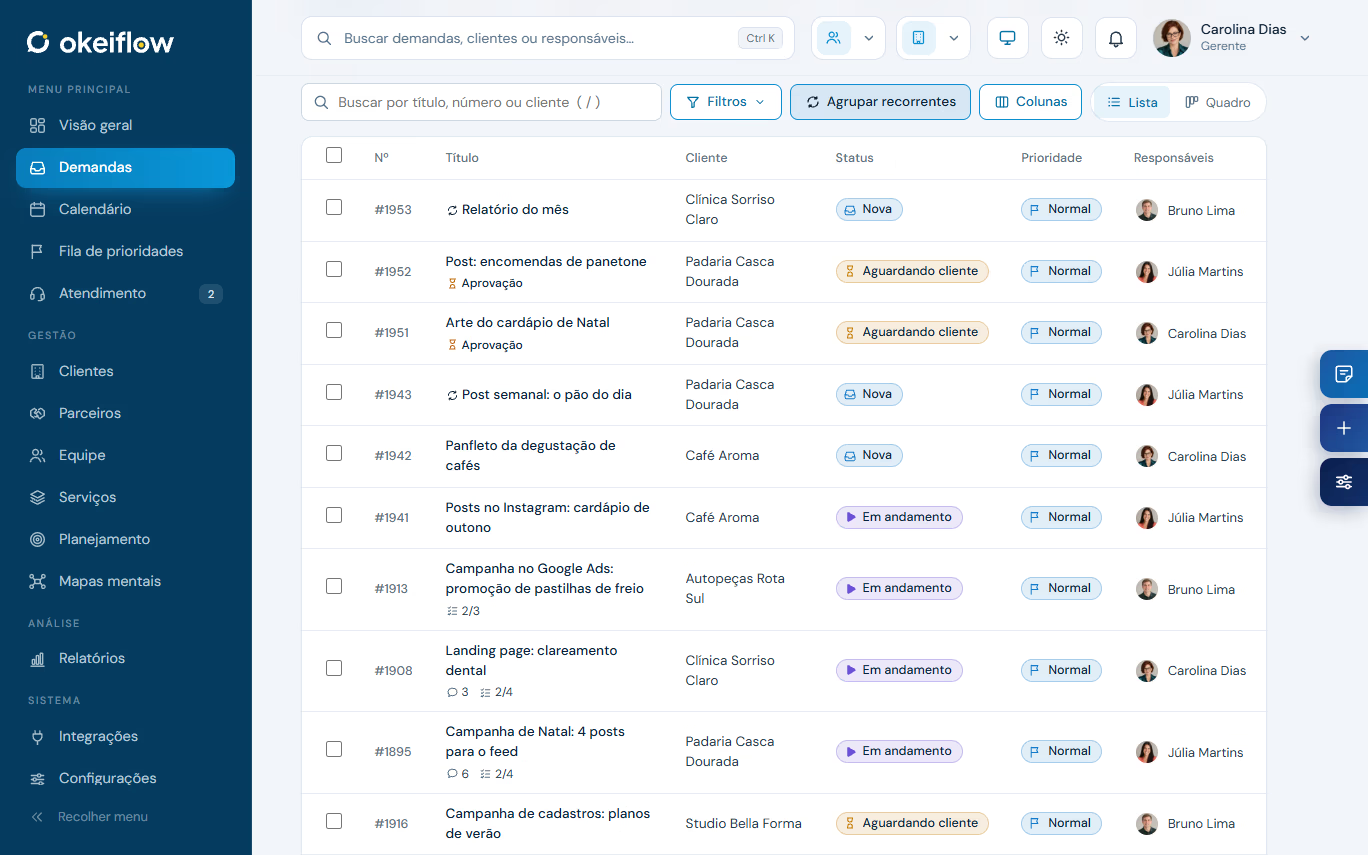
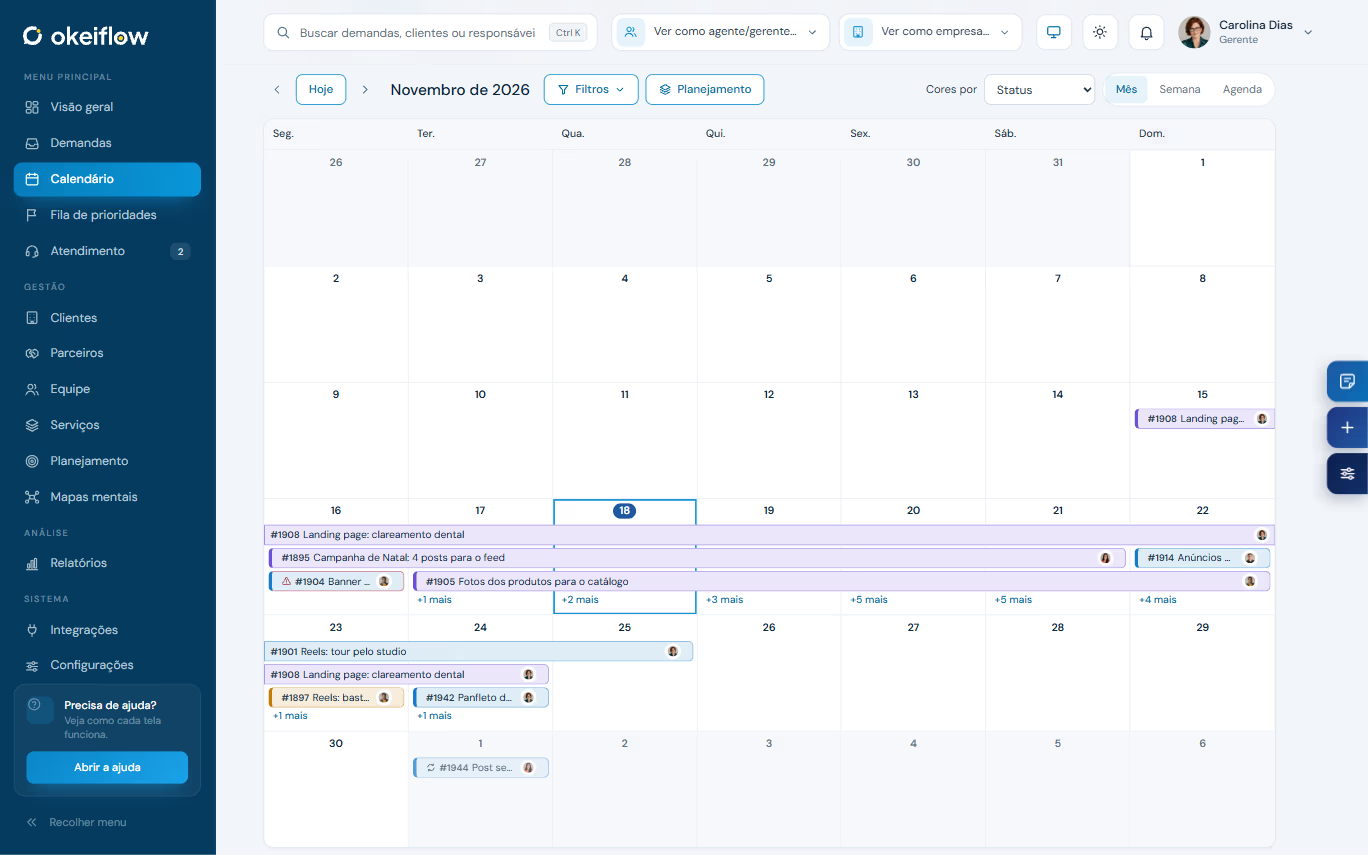
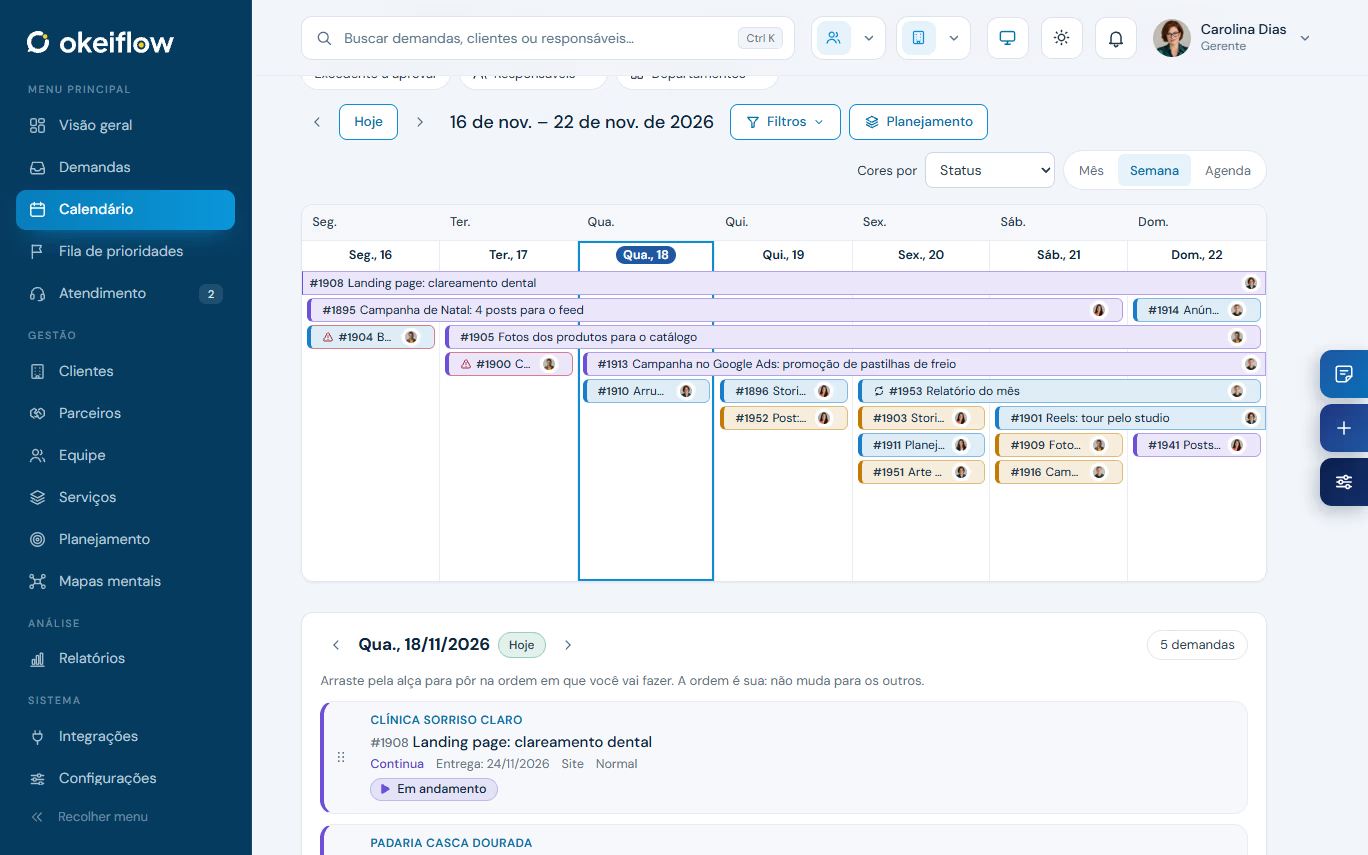
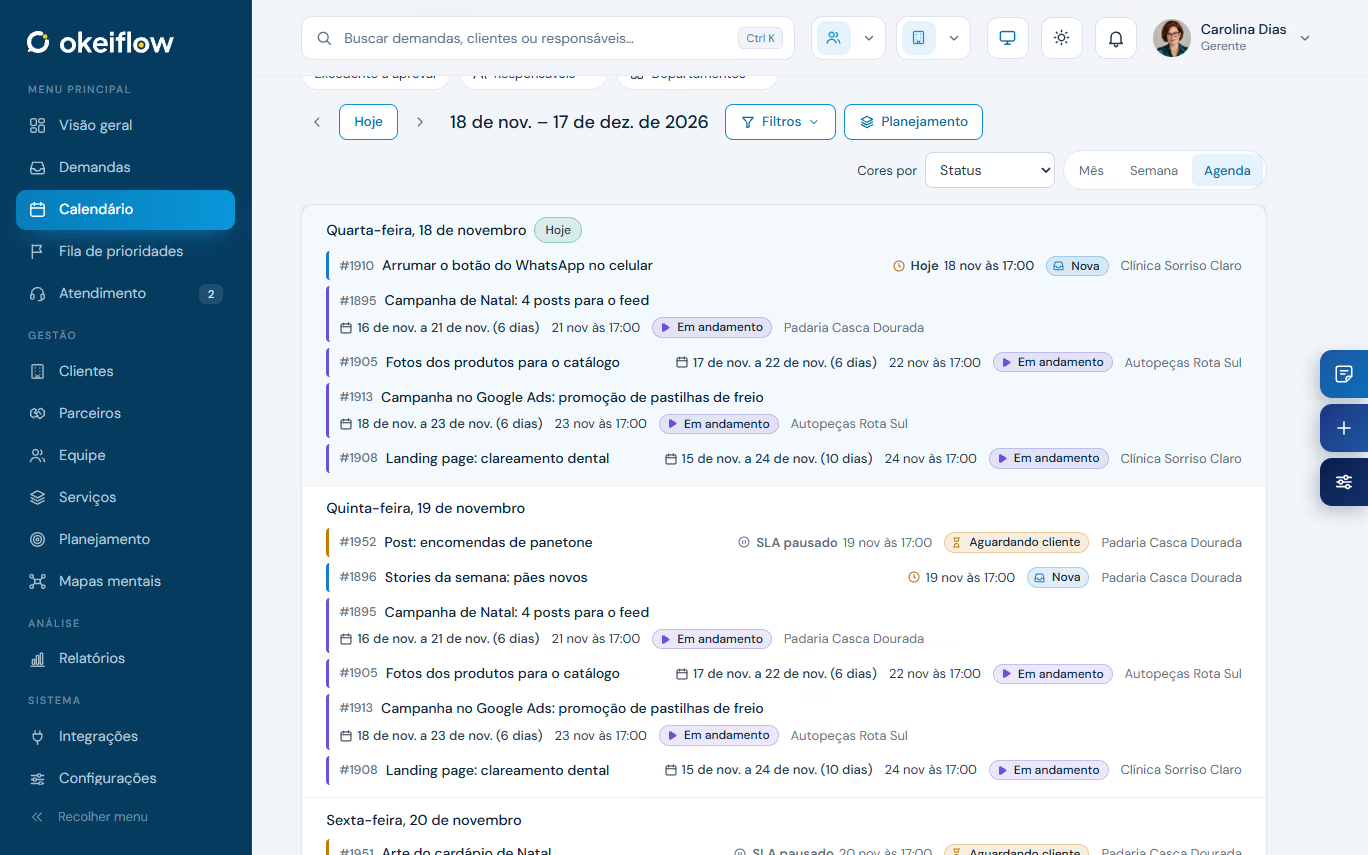
ListEvery request in a table, with client, status, priority and owner. Filter, group recurring ones and pick the columns.
BoardOne column per status, like in Trello. Each card shows the deadline, the owner and what is left.
Month calendarThe team’s whole month at once, colored by status or by owner.
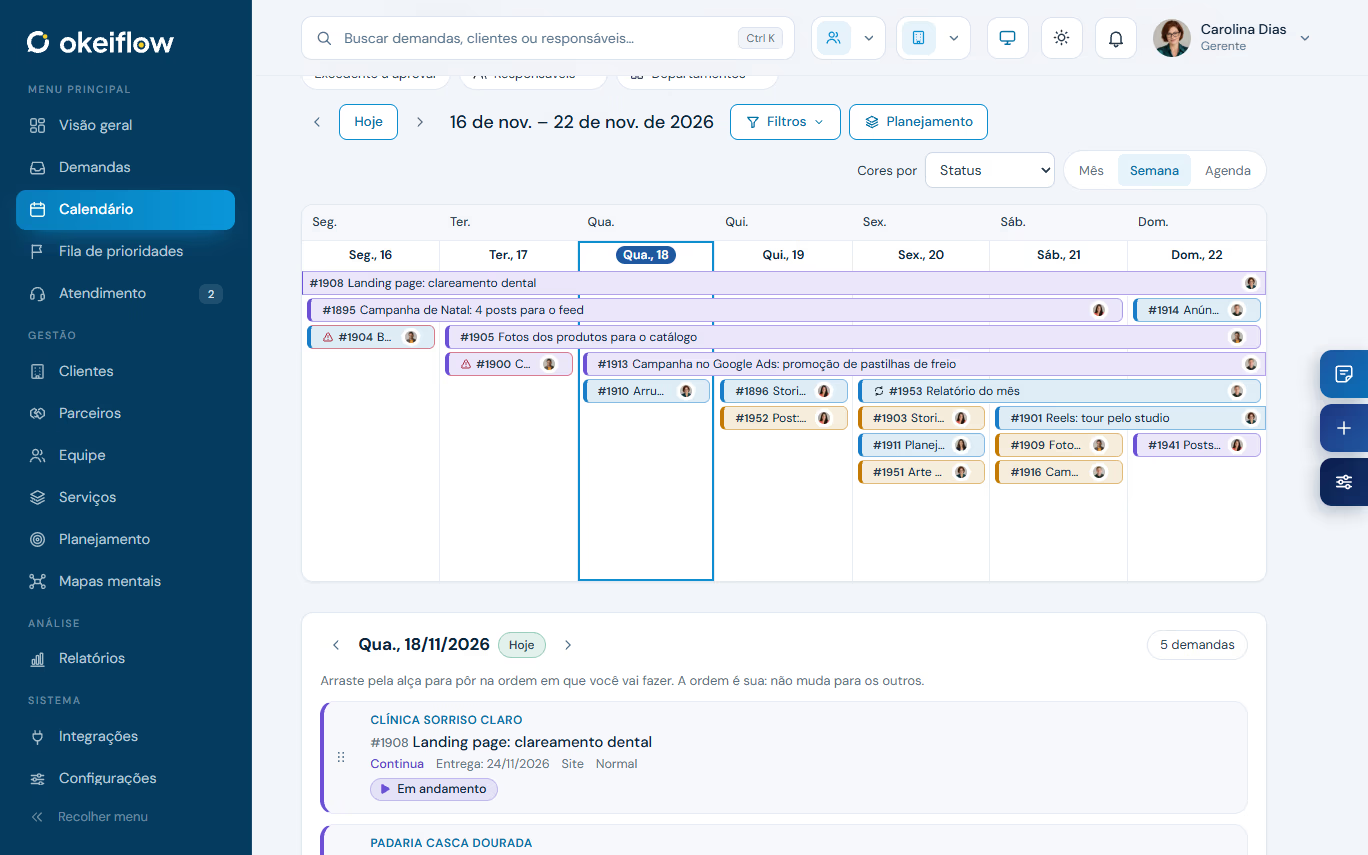
Week calendarMulti-day requests become a bar, from start to delivery. Drag to change the deadline.
AgendaDay by day, in order: what is due today, tomorrow and in the coming weeks.
How it works
The client opens the request through the portal, with files and the briefing answered. A "Talk to the team" chat becomes a request in one click.
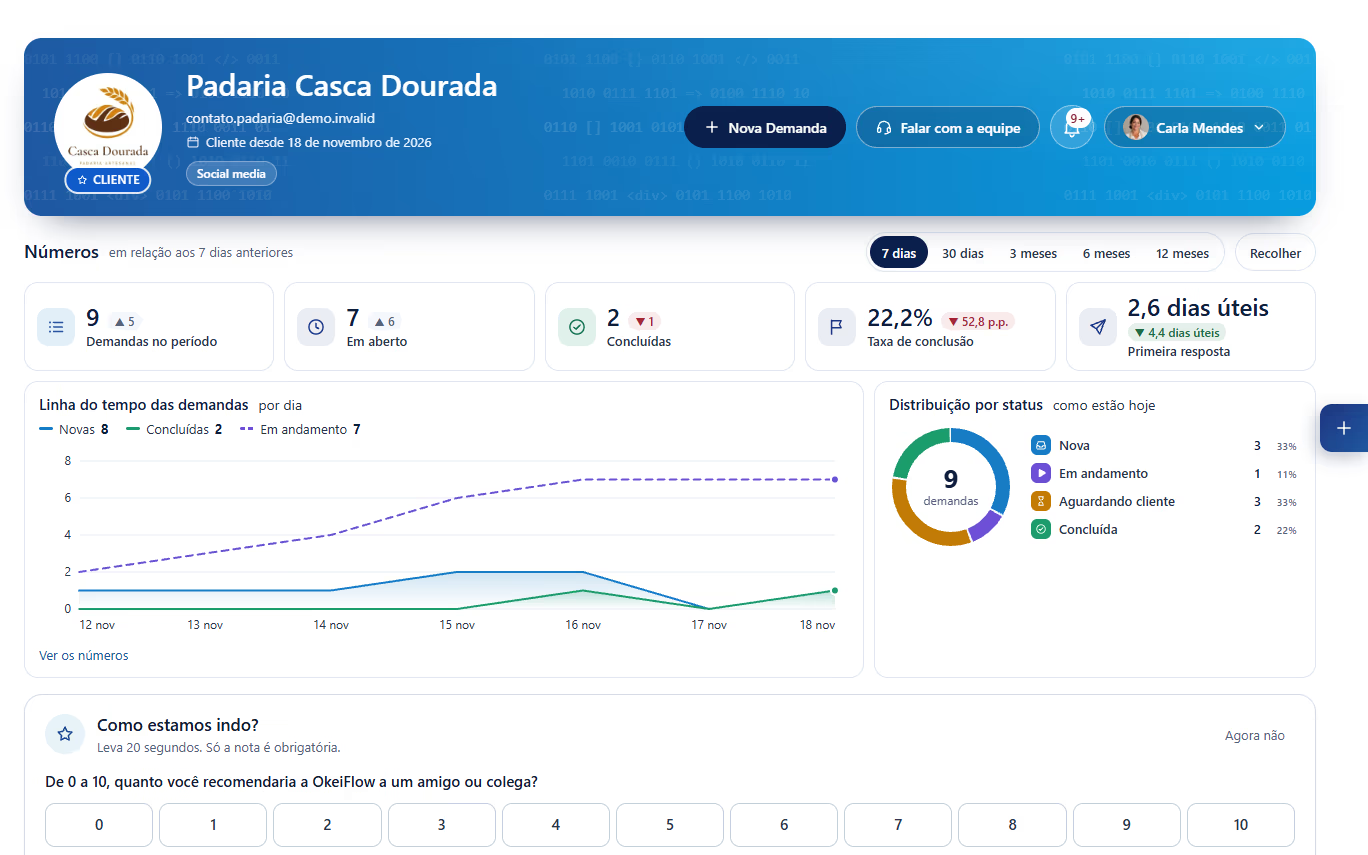
Owner, priority and a deadline in business hours, with checklists that can be required. The weekly post and the monthly report repeat on their own.
Calendar by month, week or agenda, colored by status or owner. Drag to change deadlines and organize everyone’s priority queue.
The delivery goes to the client for approval. They approve or request changes from their phone, and everything is recorded on the request.
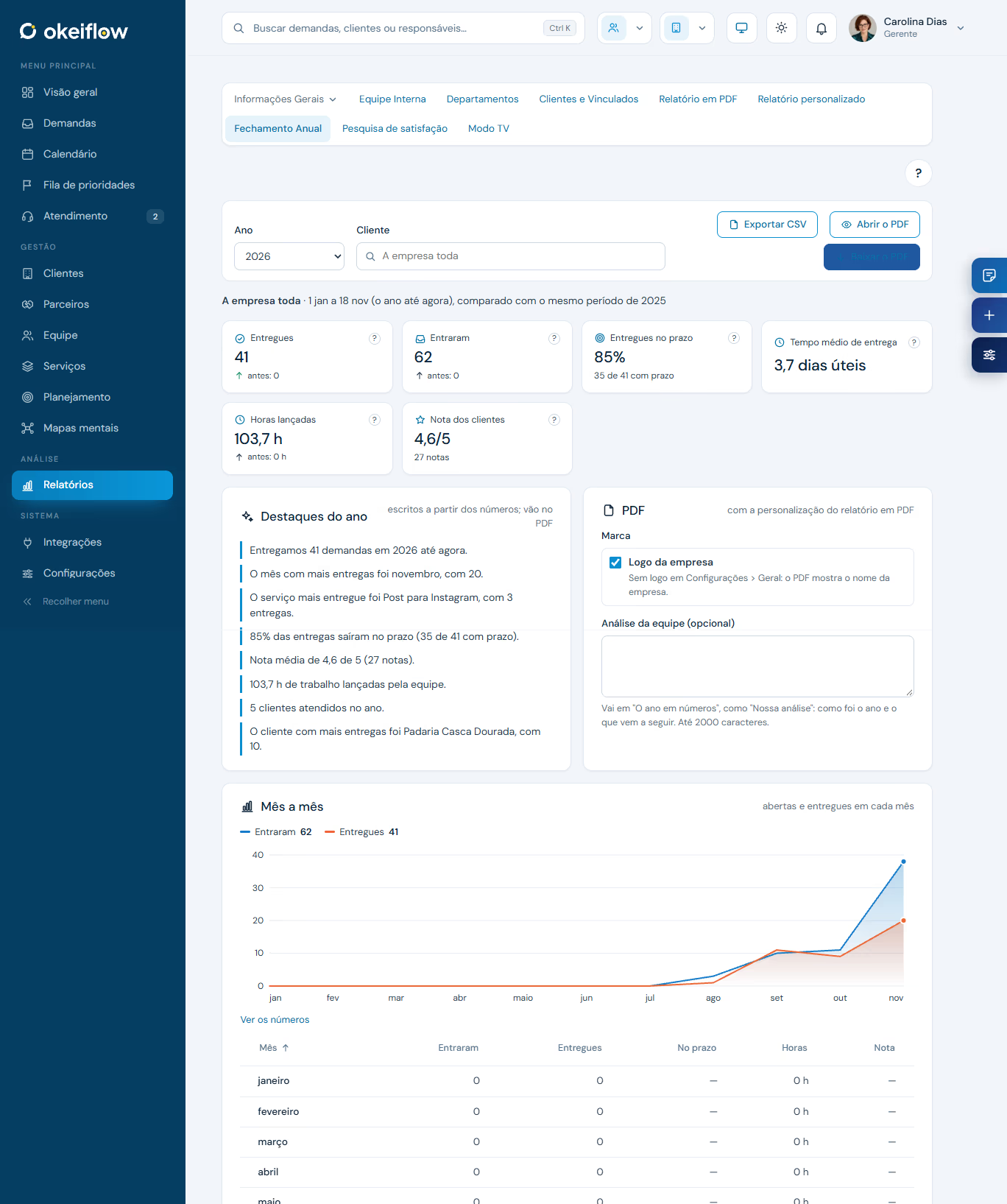
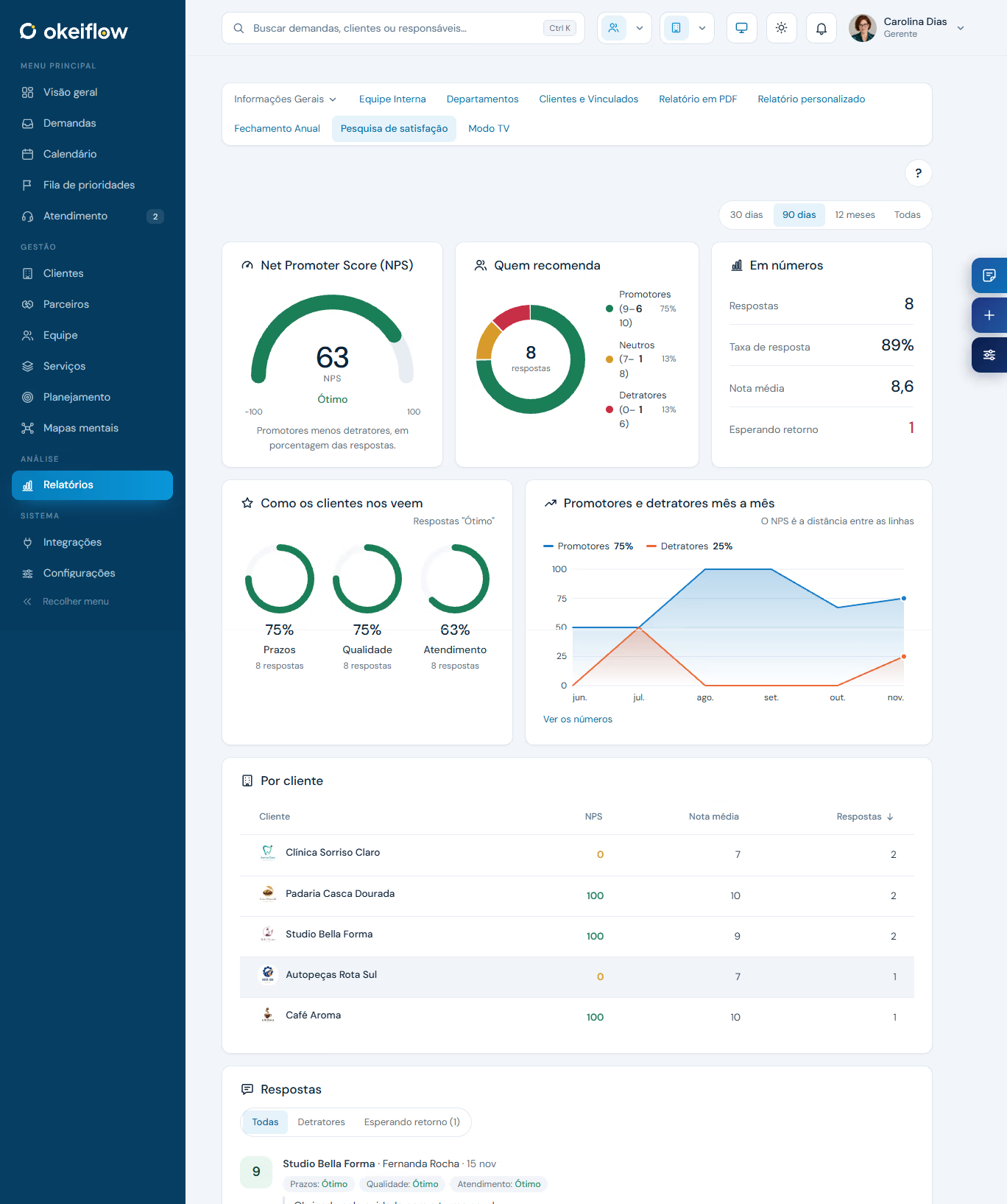
Delivered on time, average time, hours logged and client ratings. The client PDF comes out ready for the meeting.
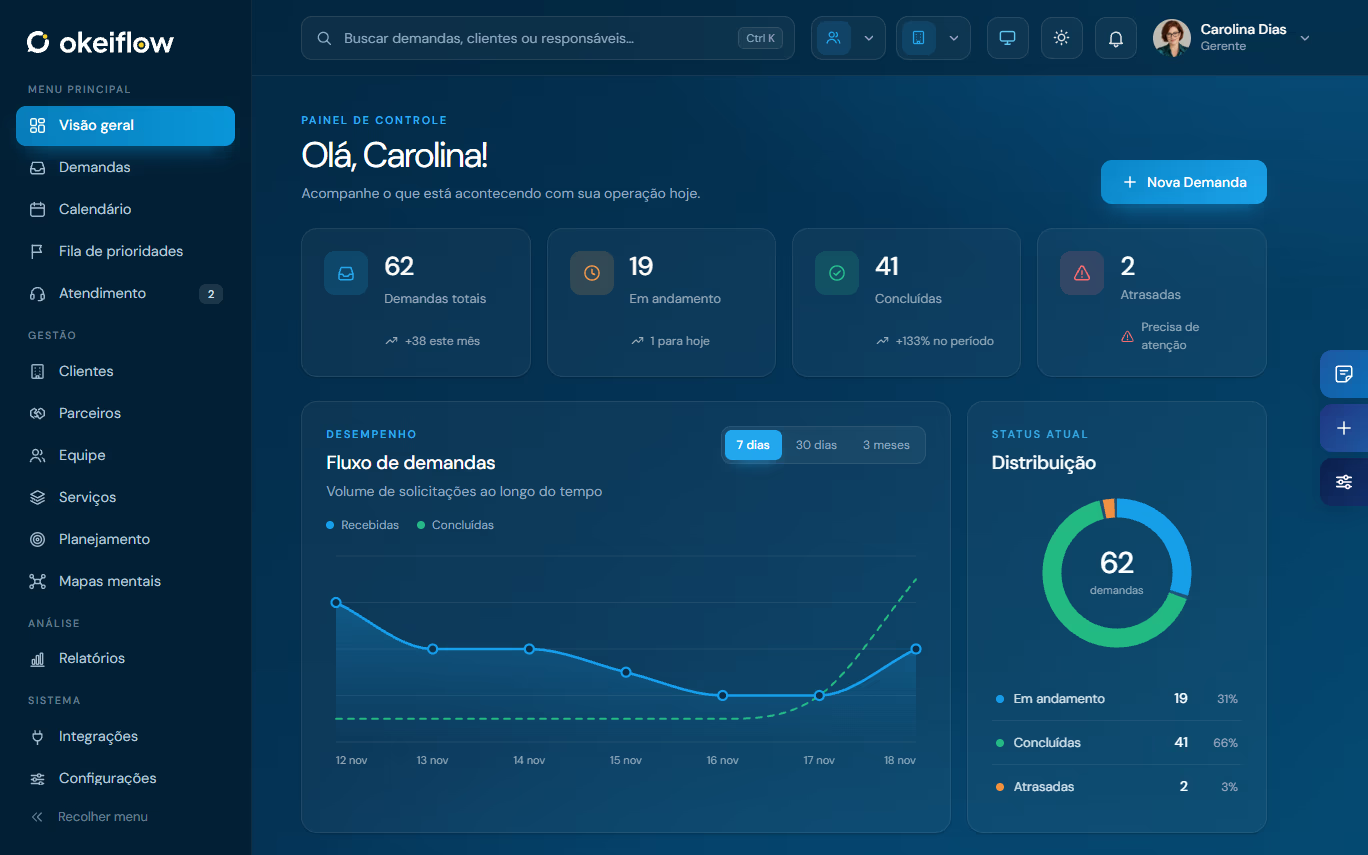
Light or dark
Each person picks the theme in their own dashboard. Drag the line to compare.
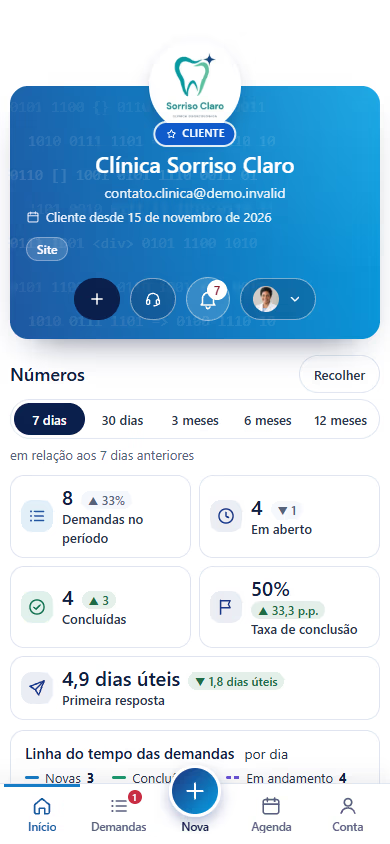
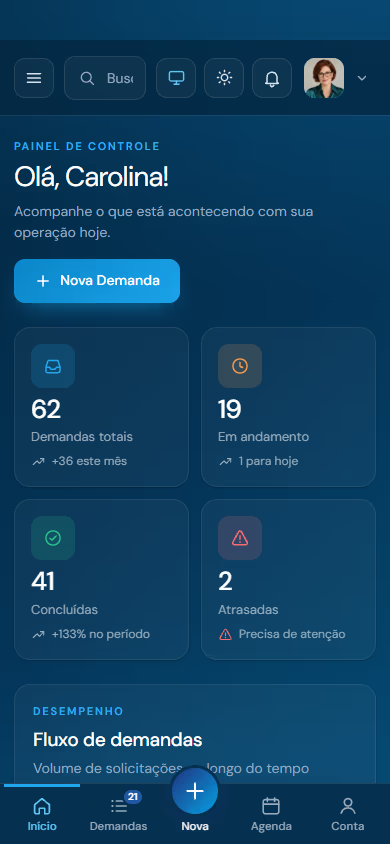
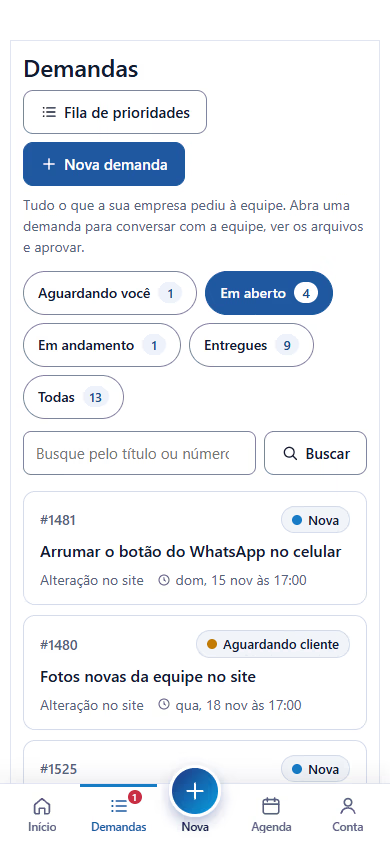
On mobile
The whole dashboard fits the phone screen, with a bottom bar that takes you straight to what matters.

TV Mode
Open TV Mode on the office TV and let the team follow the day without opening anything.
System highlights
OkeiFlow organizes requests by department and splits the work by role: agents (your staff), managers and directors. Each person sees and does only what they need, and you decide what each role can do, creating custom roles whenever you want.
Weekly posts, monthly report: create once and change just this one, the next ones or all.
Everyone’s work order. Clients can suggest the order of their own requests.
Each client’s usage in the cycle and an alert when a request goes over the contract.
Clients talk to the team through the dashboard, WhatsApp or email. The chat becomes a request.
Each client’s plan by period, with approval, PDF and planned × done.
Play on the request, the timer in the top bar and manual time entries.
The team dashboard on the office TV, updating on its own.
Agencies and sales reps follow the requests of the clients they brought in.
See the dashboard as a team member or as the client sees it, without changing anything.
The team’s maps inside the dashboard, to plan and share.
Bring your Trello and Planyway boards. Each card becomes a request.
A free skill lets Claude Code or Codex add requests, clients, services and plans for you.
OkeiFlow works with the tools your team already uses.
 Comes along with Trello
 GW Mind MapsMaps inside the dashboard
Who it’s for
If work comes in as a client request and goes out as an approved delivery, OkeiFlow organizes it.
 Gerencie Web serves its own clients with OkeiFlow every day.
How to buy
OkeiFlow runs on WordPress, with any theme. Gerencie Web can install and set it up with your team.
Questions
Yes. Request a free demo on WhatsApp and we will show you the system with your team’s routine.
For now, yes. OkeiFlow is installed on WordPress (6.6 or newer, with PHP 8.1 or newer) and works with any theme. If you don’t have one, Gerencie Web can set it up. An intranet version, without WordPress, and a cloud SaaS version are on the way.
No. Clients sign in to the portal in their browser, on desktop or mobile, with the login you send them.
Yes. Each Trello list becomes a status and each card becomes a request. Planyway comes along, and importing again doesn’t create duplicates.
Yes. The system comes in English, Portuguese and Spanish, and so do the Help Center tutorials.
The system keeps working. Only updates and support stop until you renew.
Yes. Setup with the Gerencie Web team is optional and quoted separately.

In a quick call, we show you the system working with the kind of requests you get.
Request a free demoBuilt and sold by Gerencie Web.